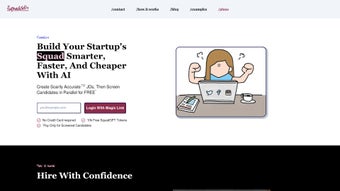

Download Squad GPT – Team Collaboration AI Tool, Secure Cost Control
Overview
Squad GPT is a cutting‑edge web application built by the developers at squadgpt, designed to bring the power of OpenAI’s GPT language models directly into the daily workflow of any team. Whether you’re a startup looking to streamline onboarding, a sales department hunting for faster candidate screening, an educational group needing a virtual tutor, or a product team chasing rapid brainstorming sessions, Squad GPT creates a shared AI‑enhanced space where ideas flow, questions are answered, and decisions are made in real time. The platform stands out because it doesn’t just give you access to a powerful language model—it couples that access with granular cost‑control tools that let managers monitor and cap AI spend, turning what could be a financial black box into a transparent, value‑driven resource. Security and data privacy are baked into the core architecture: all conversations are routed through OpenAI’s official API, meaning the data never lands on third‑party servers, and Squad GPT adheres to industry‑standard encryption for both transit and rest. In short, the app is a secure, cost‑aware, AI‑powered collaboration hub that can be accessed from any modern browser, making it a versatile addition to teams of any size or industry.
Key Features that Power Team Collaboration
- Multi‑User Chat with GPT: Invite teammates into a shared conversation where the AI can answer questions, generate content, or help solve problems in real time.
- Cost Visibility Dashboard: View token usage, monetary cost, and projected spend per team or per project, allowing precise budgeting.
- Customizable Access Controls: Assign role‑based permissions (admin, contributor, viewer) to keep sensitive discussions protected.
- Integration‑Ready API Hooks: Connect Squad GPT to Slack, Microsoft Teams, or your own internal tools via webhooks for seamless workflow integration.
- Contextual Memory Management: Pin important messages or create “knowledge bases” that the AI can reference across sessions, improving relevance.
- Secure Data Handling: All chats are encrypted end‑to‑end and processed through OpenAI’s official API, ensuring compliance with GDPR and CCPA.
- Cross‑Platform Accessibility: Use any modern browser on Windows, macOS, Linux, iOS, or Android without installing additional software.
- AI Model Selection: Choose between GPT‑3.5, GPT‑4, or specialized fine‑tuned models to match performance and cost requirements.
- Onboarding Templates: Pre‑built conversation flows for hiring, training, and brainstorming that reduce setup time for new teams.
- Real‑Time Collaboration Tools: Inline editing, file attachments, and markdown support let the AI help you draft documents, code snippets, or marketing copy instantly.
Installation & Usage: Getting Started in Minutes
Because Squad GPT is a web‑based solution, there is no traditional “installation” process—just a secure sign‑up and a few configuration steps. Follow this simple guide to have your team chatting with GPT in under ten minutes:
- Create an Account: Visit squadgpt.com and click “Sign Up.” You’ll be asked for a business email, name, and a password. A verification email is sent to confirm ownership.
- Connect Your OpenAI API Key: After logging in, navigate to the “Settings → API Integration” tab. Paste your OpenAI API key (available from the OpenAI dashboard). This step ensures that all AI calls are billed directly to your OpenAI account, giving you full control over usage and cost.
- Set Up a Team Workspace: Click “Create New Squad.” Give the workspace a name (e.g., “Product Launch Team”) and invite members by email. Assign roles—admins can adjust cost limits, while contributors can start chats.
- Configure Cost Controls: In the “Budget” section, define a monthly cap (e.g., $200). Enable alerts to receive email notifications when 70% and 90% of the budget are reached. This feature prevents surprise expenses while still allowing unlimited brainstorming.
- Start a Conversation: Open the workspace, type a prompt like “Generate a project timeline for a mobile app launch,” and watch the AI respond. Use the “Pin” icon to keep important replies at the top for quick reference.
- Leverage Integrations: For teams that already use Slack or Teams, generate a webhook URL from Squad GPT’s “Integrations” page and paste it into your communication platform. New AI responses will appear as native messages, keeping the flow uninterrupted.
Once the initial setup is complete, the platform offers a rich set of shortcuts: keyboard commands for quick prompt insertion, markdown preview for formatting, and a “History” tab that lets you revisit past sessions or export them as PDFs for documentation purposes. The intuitive UI is built with accessibility in mind, offering dark mode, screen‑reader compatibility, and keyboard‑only navigation. Whether you’re a tech‑savvy developer or a non‑technical HR manager, Squad GPT’s onboarding experience is designed to be frictionless, letting you focus on the value of AI‑enhanced collaboration rather than on configuration.
Compatibility, Pros & Cons: A Balanced View
Squad GPT runs entirely in the cloud and is compatible with any device that supports a modern web browser (Chrome, Edge, Firefox, Safari). Because it is web‑based, you can access the platform from Windows 10/11, macOS Monterey or later, Linux distributions, as well as mobile browsers on iOS 14+ and Android 9+. No additional downloads or system‑level dependencies are required, making it an ideal solution for distributed teams and BYOD environments.
Pros
- Instant, multi‑user access from any device—no client installation.
- Transparent cost‑control dashboard prevents overspending.
- End‑to‑end encryption and compliance with major data‑privacy regulations.
- Rich integration options (Slack, Teams, webhooks) for workflow continuity.
- Customizable AI model selection balances performance and budget.
- Pre‑built templates accelerate onboarding for hiring, training, and brainstorming.
Cons
- Relies on an active internet connection; offline usage is not supported.
- Cost visibility is tied to OpenAI’s pricing model, which may change.
- Advanced features (e.g., custom fine‑tuned models) require higher‑tier OpenAI subscriptions.
- While UI is intuitive, power users may miss deeper analytics or reporting dashboards.
- Currently limited to English language prompts with best results; multilingual support is in beta.
Overall Rating: 4.5 / 5
Squad GPT delivers a compelling blend of AI power and cost transparency that is rare in the collaborative software market. Its ease of use, strong security posture, and flexible pricing make it a solid choice for teams that want to experiment with AI without worrying about runaway bills.
Frequently Asked Questions
-
Is Squad GPT free to use?
Squad GPT offers a free tier that includes up to 5,000 tokens per month and basic cost‑monitoring features. For larger teams or higher usage, paid plans start at $19 per month, providing unlimited tokens, advanced budgeting tools, and priority support.
-
How does Squad GPT ensure data privacy?
All chat data is encrypted in transit using TLS 1.3 and stored encrypted at rest. The platform only forwards prompts to OpenAI via the official API; no third‑party analytics are injected. Squad GPT also complies with GDPR, CCPA, and ISO‑27001 standards.
-
Can I integrate Squad GPT with my existing tools?
Yes. Squad GPT provides webhook endpoints for Slack, Microsoft Teams, and custom HTTP callbacks. You can also embed the chat widget in internal portals using an iframe snippet.
-
What happens if I exceed my cost limit?
When the set budget threshold is reached, Squad GPT automatically pauses further API calls and notifies the admin via email and in‑app alerts. You can choose to temporarily lift the restriction or adjust the limit without losing previous conversation history.
-
Is there a mobile app for Squad GPT?
While there is no native iOS or Android app yet, the responsive web interface works flawlessly on mobile browsers, offering the same features and real‑time collaboration capabilities as the desktop version.
Conclusion & Call to Action
Squad GPT bridges the gap between powerful AI language models and everyday team collaboration, delivering a secure, cost‑transparent environment where ideas can be generated, refined, and acted upon instantly. Its web‑first design eliminates friction, while the built‑in budgeting tools give managers the confidence to scale AI usage responsibly. Whether you’re looking to accelerate hiring, enrich employee training, or simply give your brainstorming sessions a turbo boost, Squad GPT provides a flexible, privacy‑first solution that adapts to any workflow.
Ready to experience AI‑enhanced teamwork without hidden fees? Download Squad GPT today, set your budget, invite your squad, and start turning conversations into actionable outcomes. The future of collaborative productivity is just a click away.



.png)



